- Welcome to DirtTwister Forums.

DirtTwister Community
DirtTwister Forums
Tracks, tools, and conversation for motocross game creators.
DirtTwister HomeRecent posts
#51
General Discussion MCM 2 / Re: Motocross Madness 2 + wind...
Last post by BPh - December 28, 2019, 07:27:25 PMHello JPR 
#52
General Discussion MCM 2 / Re: Motocross Madness 2 + wind...
Last post by VRT_JPRLisbon_ (A) - December 14, 2019, 12:54:13 PMI forgot to say that you need to :
•right-click on the Motocross Madness 2 short-cut , Properties
•compatibility tab
•check run this program in compatibility mod , select Windows xp sp3
•check run this program as administrator
•apply , ok
.........................
If you have problems with WineD3D , install dege dgVoodoo , or vice versa
WineD3D https://fdossena.com/?p=wined3d/index.frag
dege dgVoodoo http://dege.freeweb.hu/dgVoodoo2/dgVoodoo2.html
If dgVoodoo new version doesn't work (happened to me) , try a older version .
Versions that work to me : v2_45 v2_53 v2_54
Installation:
•Move the files to motocross madness folder
•Launch dgVoodoo exe
•Add motocross madness 2 folder
•Apply , ok
more info (skip to "Fix - Unable to use 3D Accelerator" ) :
https://classicgamefixes.wixsite.com/home/motocross-madness-2
dgVoodoo just has one problem , the terrain particles details dont showup , the dirt will look very washed-out ...
https://i.postimg.cc/CSfdrDqd/demvj1568tm702bzg.gif
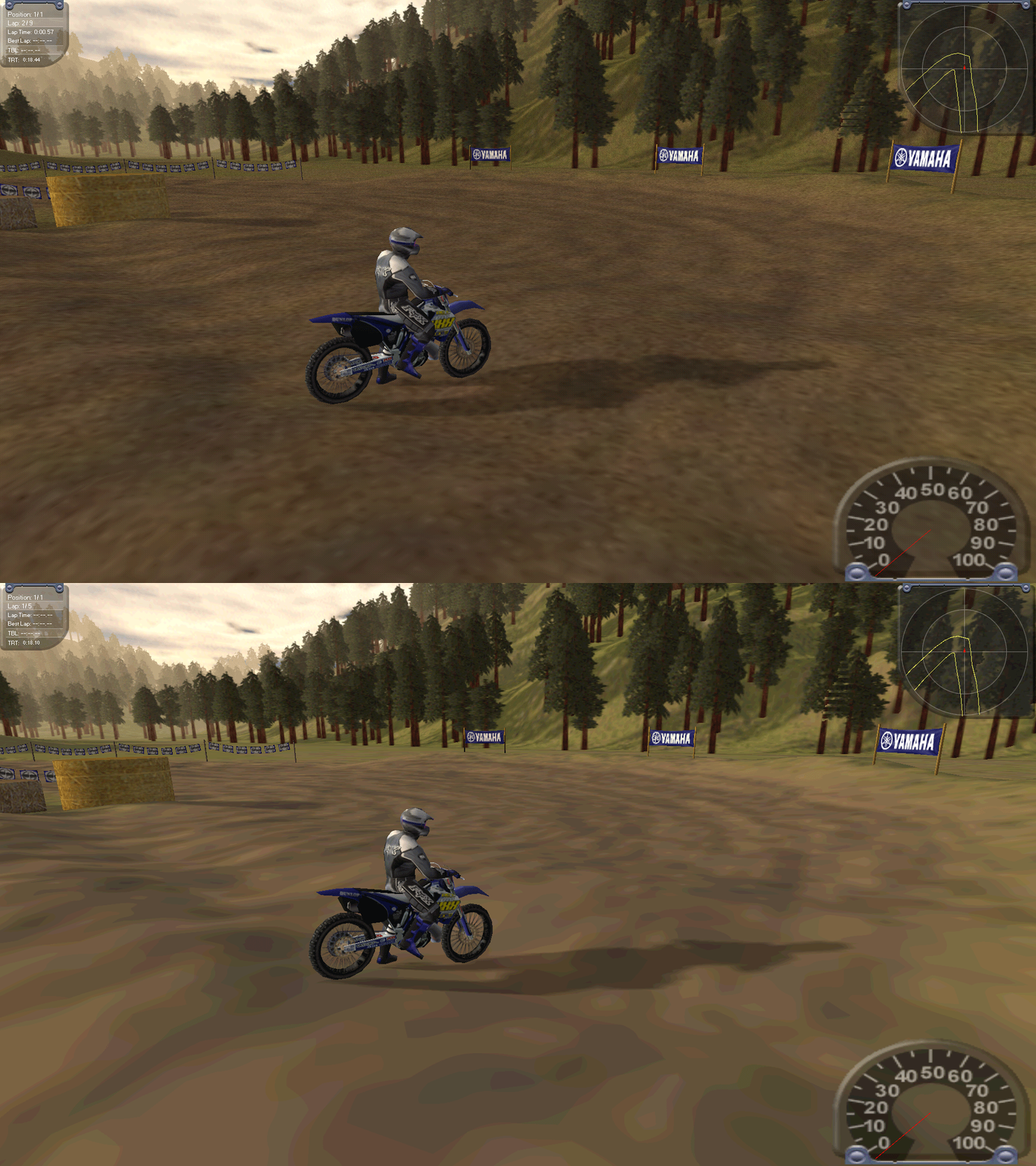
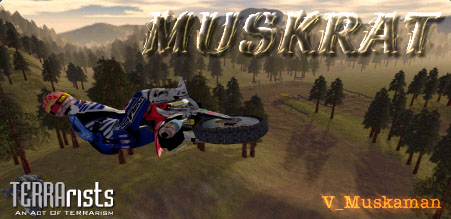
Track Muskrat
http://www.mdxracing.com/mcm2/Tracks/National_Tracks/Muskrat.zip
•right-click on the Motocross Madness 2 short-cut , Properties
•compatibility tab
•check run this program in compatibility mod , select Windows xp sp3
•check run this program as administrator
•apply , ok
.........................
If you have problems with WineD3D , install dege dgVoodoo , or vice versa
WineD3D https://fdossena.com/?p=wined3d/index.frag
dege dgVoodoo http://dege.freeweb.hu/dgVoodoo2/dgVoodoo2.html
If dgVoodoo new version doesn't work (happened to me) , try a older version .
Versions that work to me : v2_45 v2_53 v2_54
Installation:
•Move the files to motocross madness folder
•Launch dgVoodoo exe
•Add motocross madness 2 folder
•Apply , ok
more info (skip to "Fix - Unable to use 3D Accelerator" ) :
https://classicgamefixes.wixsite.com/home/motocross-madness-2
dgVoodoo just has one problem , the terrain particles details dont showup , the dirt will look very washed-out ...
https://i.postimg.cc/CSfdrDqd/demvj1568tm702bzg.gif
Track Muskrat
http://www.mdxracing.com/mcm2/Tracks/National_Tracks/Muskrat.zip
#53
General Discussion / Re: LCQ Studios - Motocross: C...
Last post by Darkslides19 - November 19, 2019, 01:10:44 PMQuote from: Bulldog on November 19, 2019, 10:09:28 AM
LCQ Studios will be releasing an "Early Access" version of their game soon. Go wishlist and follow to stay updated on its progress.
https://store.steampowered.com/app/830540/Motocross_Chasing_the_Dream/
Cool to see that game coming back after some time in the dark

#54
General Discussion / Re: LCQ Studios - Motocross: C...
Last post by Bulldog - November 19, 2019, 10:09:28 AMLCQ Studios will be releasing an "Early Access" version of their game soon. Go wishlist and follow to stay updated on its progress.
https://store.steampowered.com/app/830540/Motocross_Chasing_the_Dream/
https://store.steampowered.com/app/830540/Motocross_Chasing_the_Dream/
#55
General Discussion MCM 2 / Motocross Madness 2 + windows ...
Last post by VRT_JPRLisbon_ (A) - October 27, 2019, 03:21:21 PMHi guys .
I found a way to have mcm2 running on windows 10 without graphic card problems and without "washed" textures (terrain textures detail) as it happens with dege dgVoodoo files .
You just need to Extract all this 5 files to Motocross Madness 2 folder and lunch the game .
(the game will take around 10 seconds to launch)
Try it , maybe works for you too .
***If you have dege dgVoodoo files installed , delete or move them to other folder out of mcm2 install folder .
_____________________________
EDIT:
DgVoodoo was updated to the version 2.63 and the mcm2 terrain particules problem (washed-out textures) was fixed .
Now its possible use WineD3D_Win_1.7.52 or DgVoodoo_2.62 to play mcm2 .
Mcm2 files WineD3D 1.7.52 (ready for mcm2):
MCM2_files_WineD3D_Win_1.7.52
Mcm2 files DgVoodoo 2.62 (ready for mcm2):
MCM2_files_dgVoodoo_2_63
http://mdxracing.com
I found a way to have mcm2 running on windows 10 without graphic card problems and without "washed" textures (terrain textures detail) as it happens with dege dgVoodoo files .
You just need to Extract all this 5 files to Motocross Madness 2 folder and lunch the game .
(the game will take around 10 seconds to launch)
Try it , maybe works for you too .
***If you have dege dgVoodoo files installed , delete or move them to other folder out of mcm2 install folder .
_____________________________
EDIT:
DgVoodoo was updated to the version 2.63 and the mcm2 terrain particules problem (washed-out textures) was fixed .
Now its possible use WineD3D_Win_1.7.52 or DgVoodoo_2.62 to play mcm2 .
Mcm2 files WineD3D 1.7.52 (ready for mcm2):
MCM2_files_WineD3D_Win_1.7.52
Mcm2 files DgVoodoo 2.62 (ready for mcm2):
MCM2_files_dgVoodoo_2_63
http://mdxracing.com
#56
General Discussion MCM 2 / Re: Resolution Location
Last post by VRT_JPRLisbon_ (A) - October 27, 2019, 03:20:06 PMHi Yzmxer608
Try this , maybe works for you :
https://bruceatkinson.com/dirttwister/smf/index.php?topic=9377.0
Try this , maybe works for you :
https://bruceatkinson.com/dirttwister/smf/index.php?topic=9377.0
#57
Track Making Tools (Reflex Track Compiler, MVA Editor, Armadillo/Dillo Too/APM/Etc.) / Re: Reflex Surface Creator Too...
Last post by redrider197 - September 26, 2019, 01:14:45 PMOkay so....if there is a single soul left and you some how come across this. Me and Gary664 seemed to experience the same problem with the surface tool not opening. I've figured out the solution at least for me, haven't confirmed with gary. I just had to do a fresh install and once again same issue, I forgot what I did but since i'm here, all I had to do was download this https://www.microsoft.com/en-us/download/details.aspx?id=35 it's the DirectX needed for the program. For some reason it doesn't come included with digital earthworks download. I also had to download a .dll file something like d3dx9_33.dll for the most recent DE but I assume that's because I didn't have this particular directX end user installed because as it downloads and installs things for you it shows what is being installed and I saw this exact .dll file.
#58
General Discussion MVA / Re: MX vs ATV UNLEASHED: CRASH...
Last post by RebeccaBrand (A) - May 02, 2019, 02:12:15 AMI found a much simpler way to edit the files using this guide: https://www.youtube.com/watch?v=IVD2PVLjCr4. He uses a hex editor called XVI32 and it isn't hard to use at all its just time consuming since there are so many tracks. As the first reply suggested though I've uploaded them to MediaFire so anyone else stumbling across here doesn't have to bother. I didn't double check though so if any of the tracks are still broken you can follow the video I linked to fix the specific one(s).
Here are the files: https://www.mediafire.com/file/1mbc4bbt3c9izn8/MX_Vs_ATV_Unleashed_Patched_Tracks.zip/file
Here are the files
: https://www.mediafire.com/file/1mbc4bbt3c9izn8/MX_Vs_ATV_Unleashed_Patched_Tracks.zip/file #59
General Discussion MVA / Re: REV Mod Download
Last post by loganwren245 (A) - April 16, 2019, 08:25:59 PMQuote from: T19R on February 10, 2019, 07:14:35 PM
Any help? Whenever I try to start a race the game crashes saying that physics are corrupted.
the way to fix it, is you need to replace the mx vs atv launch icon thats in your mx vs atv folder with another one. most physics mods come with one, but REV does not. http://virtualdirt.com/download/mva/mva_tracks/freestyle/real-physics-v2-5-enhanced-physics-1373 heres a link to one of those mods that comes with the launch icon you need. just make sure you replace it and not just put it in there alongside it otherwise the physics will not work properly.
#60
General Discussion MVA / MvA Unleashed Mods
Last post by T19R (A) - February 10, 2019, 07:18:03 PMAs most of the pages with mods for the game are now closed, I wanted to make this thread so that everyone could upload and share the mods they have if possible. Thanks.