 |
|
|
|
Motocross
Madness 2  Armadillo Track Editing Tutorial 3D Max 3.1 Object & Export by Maui_cool & Naz88 |
|
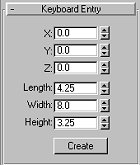
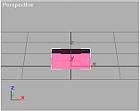
[This tutorial is for people who have some knowledge of 3d Max 3.1, photo editing programs You are going to be creating a simple rectangular haybale, by keeping it simple, you'll learn fast and there is less chance for error. 1. Open 3DsMAX R3.1. 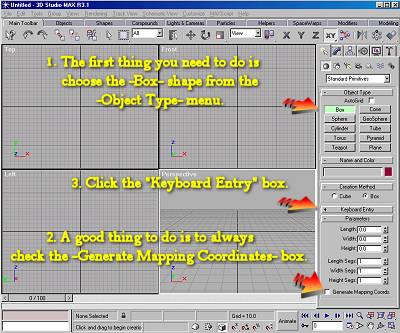 Create a simple rectangle by entering these dimensions in the "Keyboard Entry" box. Now you have the basic object which will become a haybail by the time we are finished. |
|
| Proceed to "How to apply the textures for your object."
Copyright © 2001 Maui_cool All rights reserved. |
|
|
|

|
 |
 |
|
|