01 / BROWSE
Open and understand archives
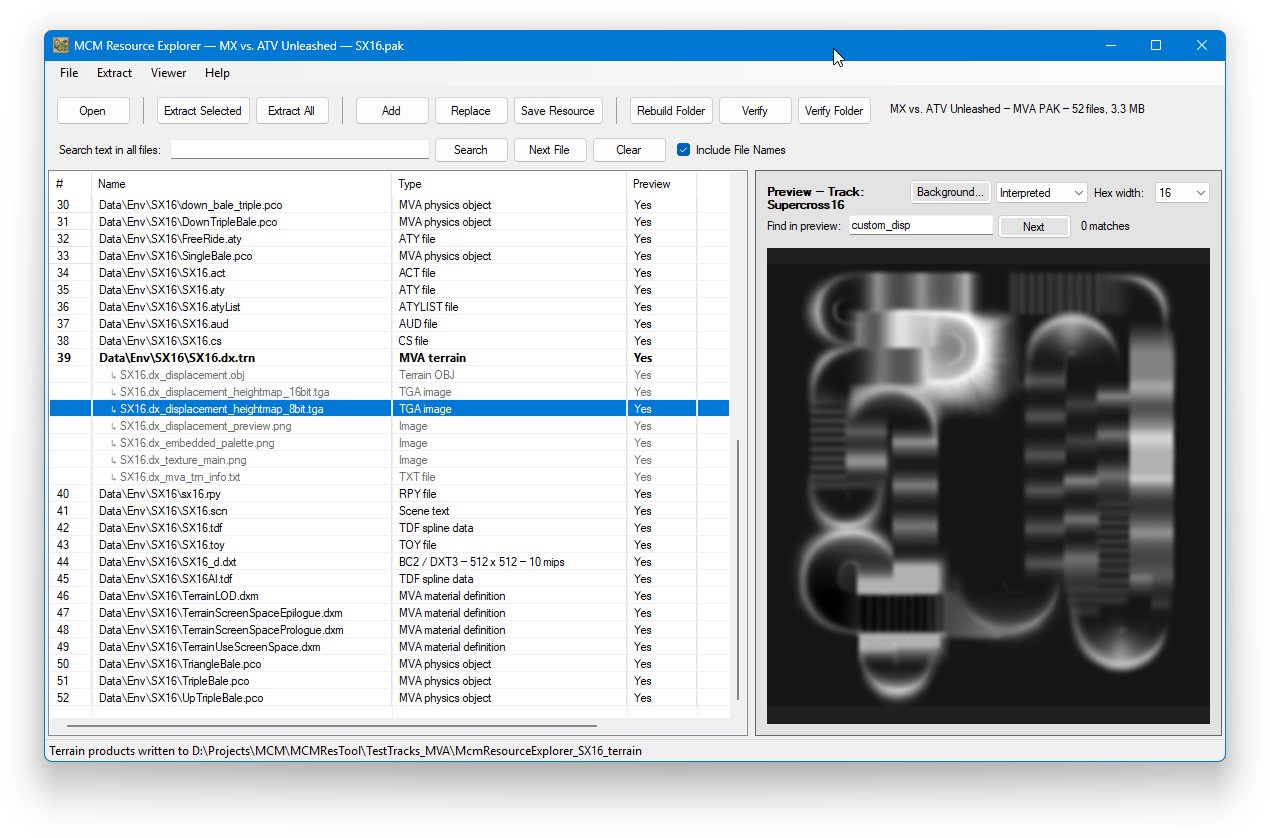
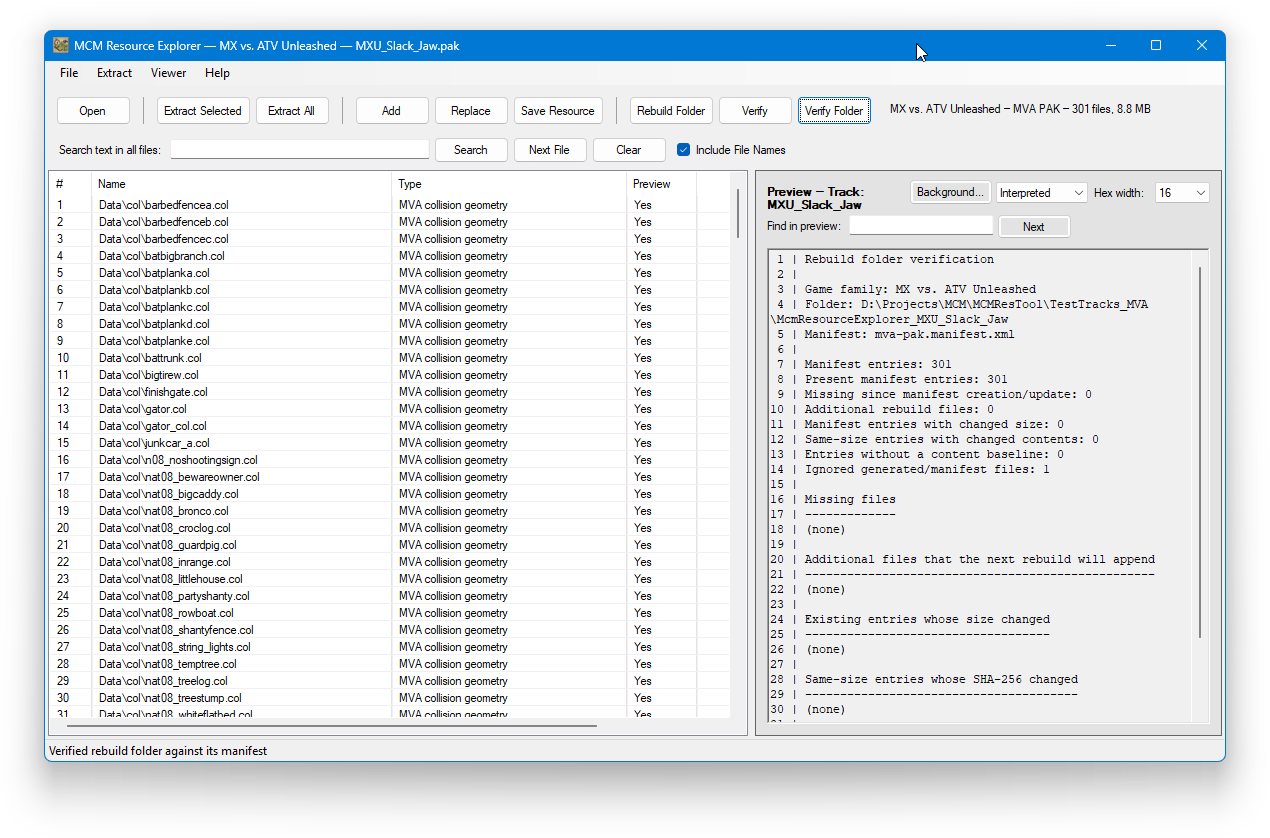
View entry names, detected file types, sizes, and offsets. Search filenames or scan archive contents for text without extracting everything first.

DirtTwister 2026
Tracks and tools for track creation.
Look inside the resource and track files of the classic motocross madness games. Browse archive contents, preview supported assets, extract files for your projects, and inspect terrain without losing the original data.
Resource Explorer gives track creators and modders a practical way to examine game data. Open a supported resource, see what is inside, and choose the next step from one Windows application.
View entry names, detected file types, sizes, and offsets. Search filenames or scan archive contents for text without extracting everything first.
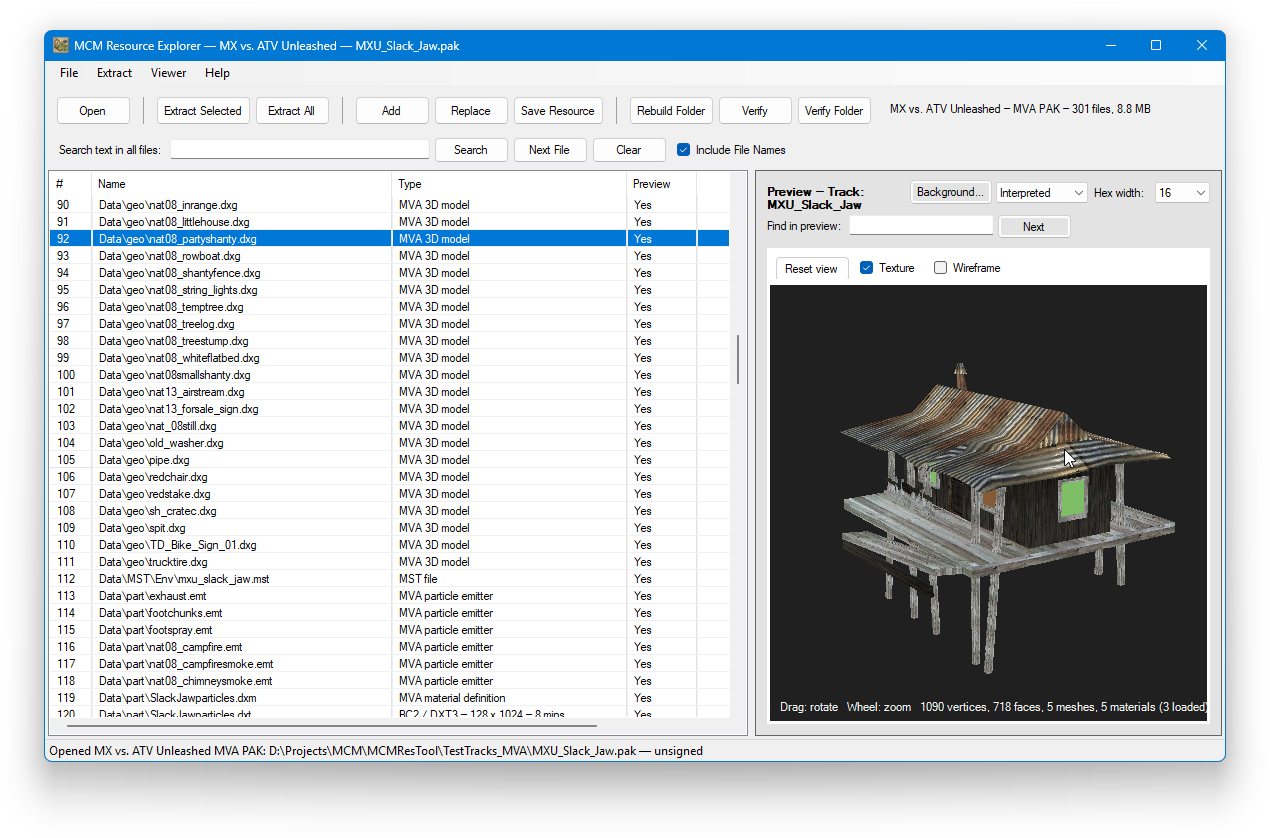
Preview supported images, text, metadata, and models right from an archive. Switch to hexadecimal data when you need to inspect bytes directly.
Extract individual entries or a whole resource. Supported terrain files can produce OBJ meshes, heightmaps, textures, and related track information.
Edit archive contents by adding or replacing files, then save or rebuild from an extracted working folder. Rebuild manifests keep track of archive entries.
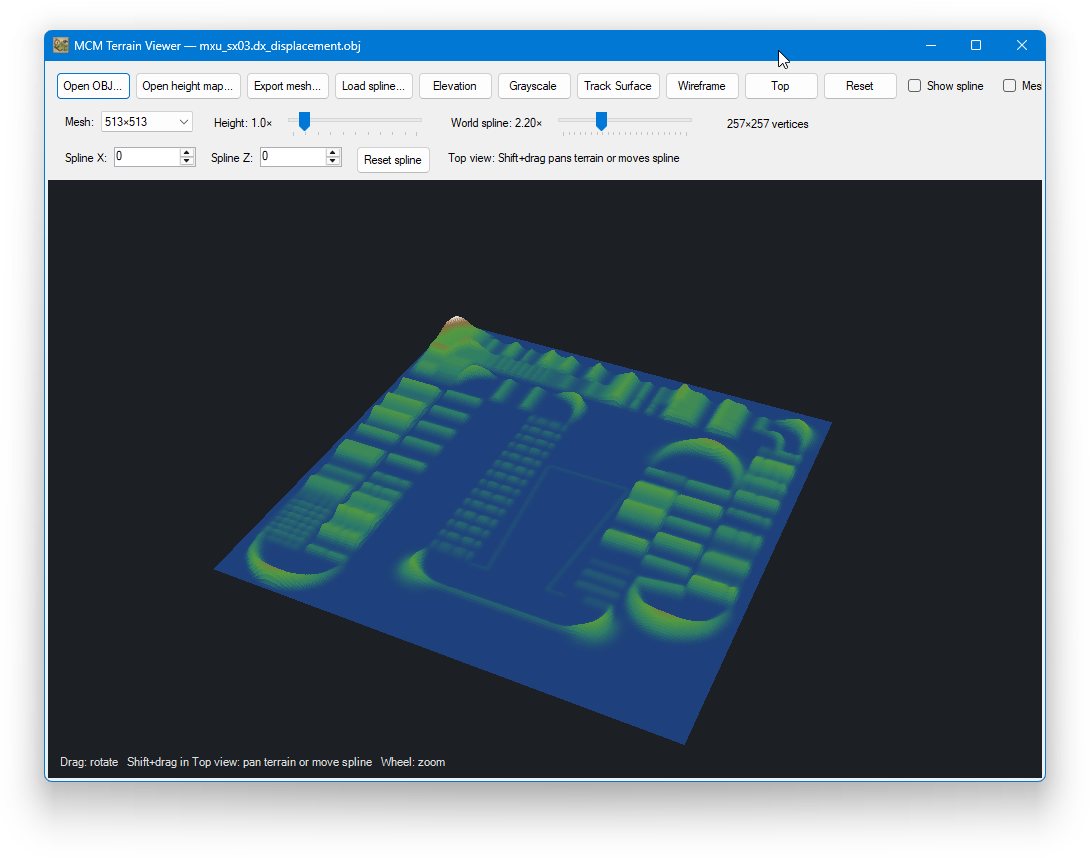
Use the built-in terrain viewer to rotate a mesh and inspect elevation or spline overlays. Supported SLT objects can be examined in the preview pane.
Run structural verification on supported archives and compare a working folder with its rebuild manifest before creating an updated resource.
Support depends on the game and resource type. The Explorer focuses on making available data accessible, while unknown entries remain extractable for separate investigation.
Want the full walkthrough?
The user guide covers opening resources,
previews, extraction, rebuilding, terrain tools, and current limitations.
Download MCM Resource Explorer
If you aren't familiar with the newer download and unzipping warnings, you can read more about it here.